Product Types (Transaction Kind)
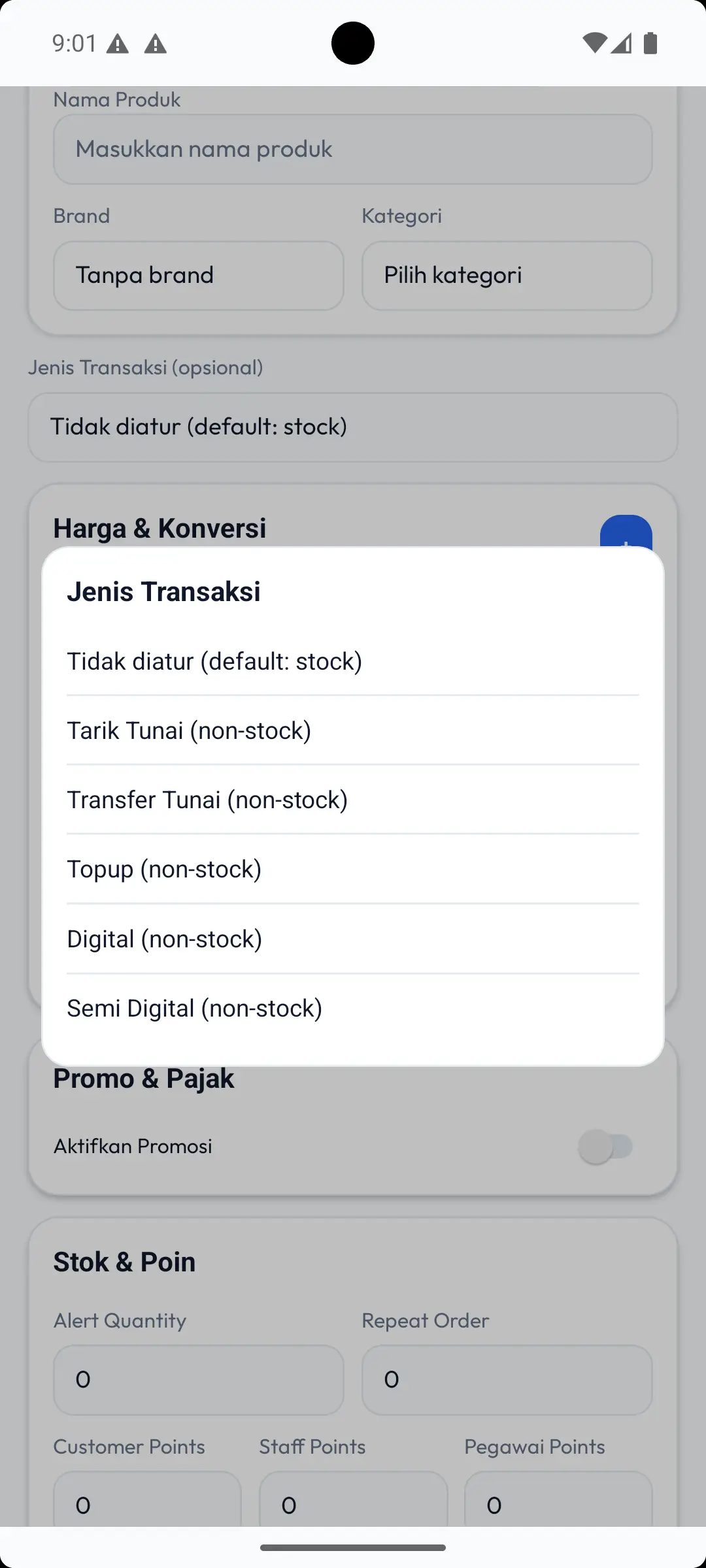
In MAXsi POS, a “product type” helps the system understand whether an item is:
- a standard stocked product, or
- a service/money transaction (non-stock), or
- a special product meant for the Reload workflow.
You typically choose this when adding or editing a product under Transaction Type.
Daftar Isi
1) txn:stock (Standard)
This is the normal product type for physical goods.
- Used for most items in a store.
- If Transaction Type is not set, the system usually treats the product as
stock. - Qty represents the number of items.
2) txn:tarik_tunai
Used for cash withdrawal transactions in POS.
- Not a stocked item; it represents a service/money transaction.
3) txn:transfer_tunai
Used for cash transfer transactions in POS.
- Not a stocked item; it represents a service/money transaction.
4) txn:topup
Used for top-up transactions.
- Not a stocked item.
- Suitable for products where the value is an amount/nominal.
5) txn:digital
Used for digital transactions.
- Not a stocked item.
- Suitable for digital products where the value is an amount/nominal (for example bill payments).
6) txn:semi_digital
Used for semi digital products processed through the Reload menu.
- Intended specifically for the Reload workflow.
- Reload can typically process only
semi_digitalitems whose product code matches supported formats (example prefixes:topup-...,bb-...,bs-...,postpaid-...).
How to Choose
- If it’s a normal product and stock must be tracked: use
txn:stock. - If it’s a service/money transaction (withdraw/transfer/topup/digital): choose the matching type.
- If it must be processed in Reload: use
txn:semi_digital.